
Context
A T-shirt company was a fast-growing custom apparel company with walk-in stores and a corporate sales division. Their B2B sales arm had massive potential—but zero infrastructure. No CRM. No lead tracking. Just scribbled phone numbers and scattered spreadsheets.
The goal? Build a centralized sales system to organize leads, automate follow-ups, simplify quoting, and empower the team to close more deals—with less admin.
The Challenge
When we first joined, here’s what we were up against:
- 📂 Leads coming from everywhere: phone calls, store visits, emails, website requests—nothing tracked.
- 📉 Zero visibility into sales performance.
- 🧾 Quotes handled via Square with no CRM connection.
- 🔄 Reps manually updating spreadsheets (if at all).
- 🧹 Carla, the internal lead, manually merged 5 Excel sheets just to prep data for us.
They were originally considering HubSpot, but we quickly realized Pipedrive was the better fit:
- Lower cost.
- Simpler UX.
- Just enough firepower for what they needed (without the HubSpot bloat).
What We Delivered
We broke the project into 4 phases, each with targeted outcomes:
Phase 1: Data Migration & CRM Setup
- Cleaned and imported all lead and customer data.
- Created two custom pipelines (e.g., walk-in vs bulk orders).
- Configured custom fields based on actual quoting processes.
- Used Pipedrive’s deduplication tool for a clean slate.
“I closed like six deals in like two weeks.”
Patrick, T-Shirt Time
Patrick reported this during the review while getting comfortable with Pipedrive. He described logging enquiries, assigning deal values and moving opportunities through the pipeline when customers replied. Full recording, approximately 15:56.
Phase 2: Automation & Quotation Integration
- Setup basic follow-up automation for stagnant deals.
- Created notification rules to nudge reps on inactive leads.
- Explored integrating their existing tool (Square) with Zapier—while evaluating better-fit quoting platforms.
- Scoped quotation triggers (e.g., quote sent = update deal stage).
⚠️ Not everything could be automated—Pipedrive has some limitations. But we found smart workarounds using native tools + Zapier.
Phase 3: Reporting & Dashboards
- Built 5 tailored reports for sales tracking, conversion rates, and lead sources.
- Created dashboards for sales and leadership to get real-time visibility without needing to click around.
See what your sales team needs to see.
Phase 4: Training & Post-Launch Support
- Delivered 2 training sessions + a full Notion-based wiki with embedded Loom tutorials.
- Setup user accounts and permissions.
- Provided 30-day optimization and Slack-based support for minor tweaks and real-time feedback.
“Technology should empower your team—not overwhelm them.”
— LQ team
Key Takeaways
- Pipedrive was the right call. HubSpot would have added unnecessary complexity and cost.
- Process mapping was critical. Before building, we mapped every lead entry point, sales step, and quote logic across departments and platforms.
- Zapier gave us flexibility. Especially around quoting—where native Pipedrive tools weren’t enough.
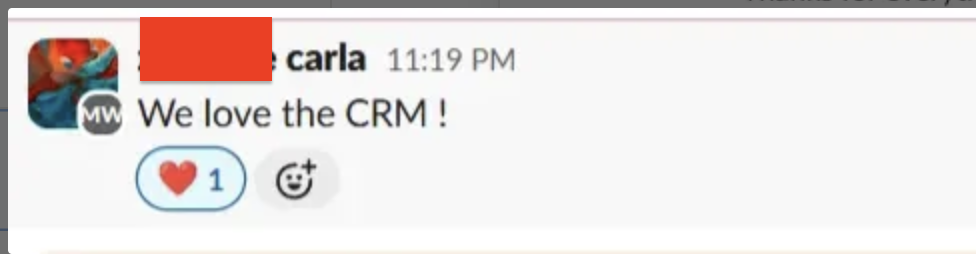
- Change enablement matters. Carla had buy-in from leadership, and we customized training to suit their team’s digital maturity.
Results (So Far)
While this case study focuses on the implementation itself, early wins include:
- 🎯 All leads now flow into one place.
- 📥 No more manual follow-ups slipping through the cracks.
- 🧾 Quoting process is being standardized for future automation.
- 🧘♀️ Carla is no longer manually wrangling spreadsheets.

Bonus
A good CRM build starts before the tools.
📚 Click here to see our ULTIMATE PIPEDRIVE SETUP
Interested in having a killer CRM setup for your business?
📅 [Click here Book a quick intro call] or 📧 Email me directly at johnny@lockandquaymkg.co.uk
Feel free Connect with me on Linkedin at: https://www.linkedin.com/in/johnny-kim-growth-nerd/