
Phase 1 - Automation and Techstack Roadmap
What is it?
- We will work with you to provide a map of what automations will align the best with your business goals
- We will provide most likely tech stacks needed to bring your full solution to reality
Why do we do this in the first place?
We do this to avoid building anything that does not align with your business goals.
The metaphor we like to use is to sharpen the axe 🪓 before cutting down the tree 🌳
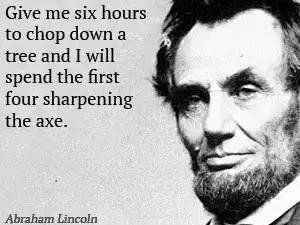
Some people might feel like this is an unnecessary step and that it would be better to just start building.
In our years of combined experience however, making sure all team members are aligned and that automations do not conflict with one another at the beginning, speeds up the development process and team enablement later down the road.
Sometimes it helps to slow down a little to go faster later.
How it works (for Phase 1 Automation and Techstack Roadmap)
1. First Session - Identification
What we need from you:
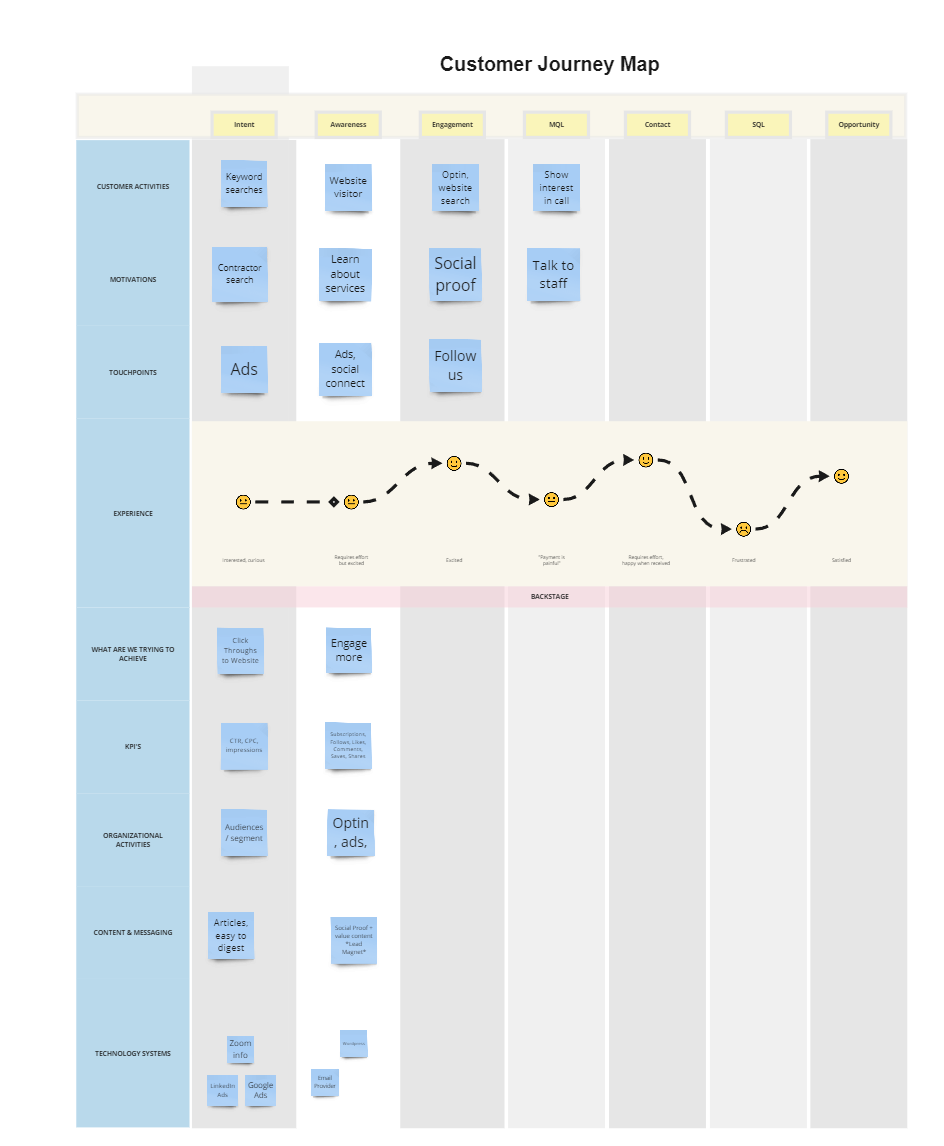
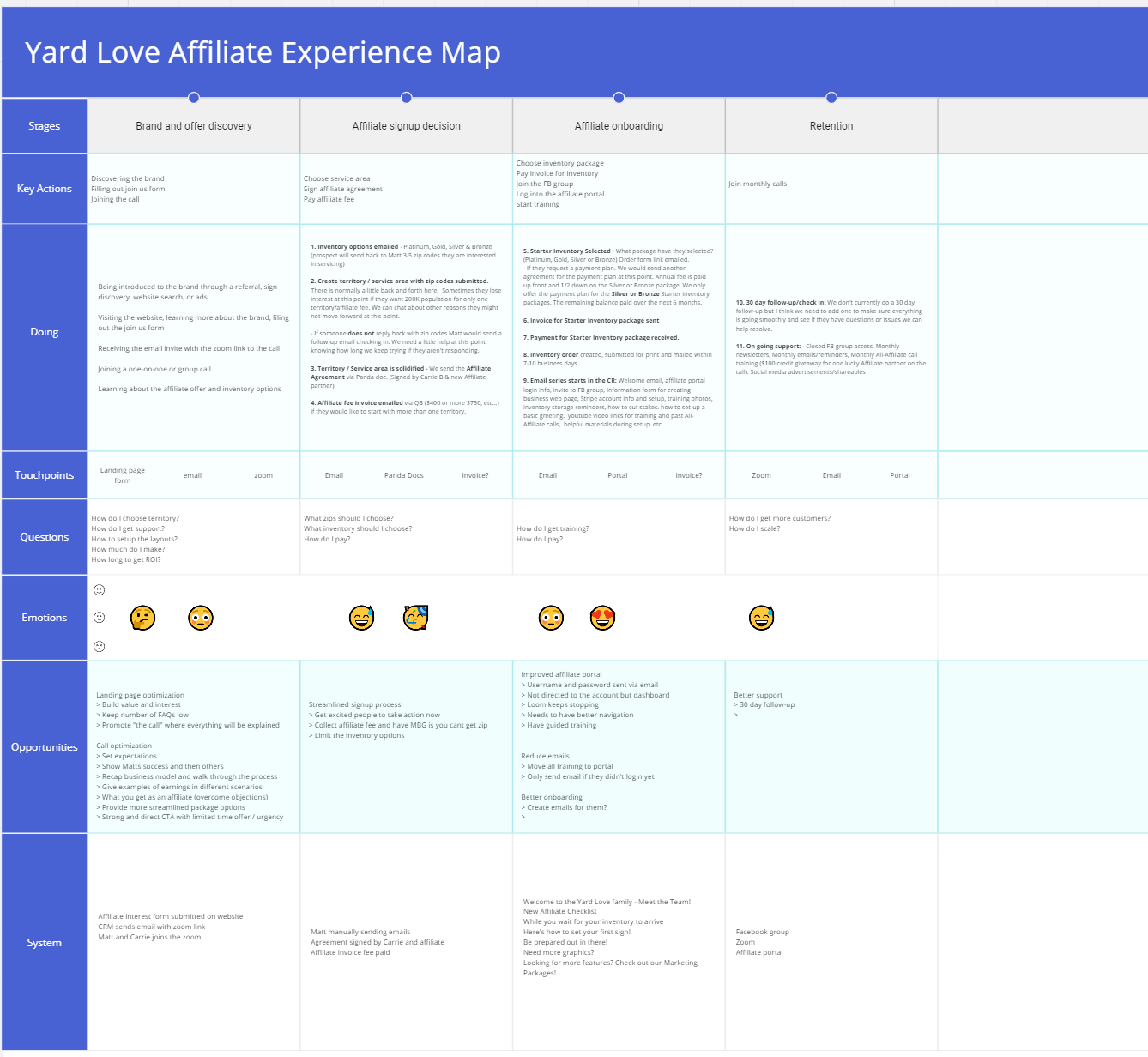
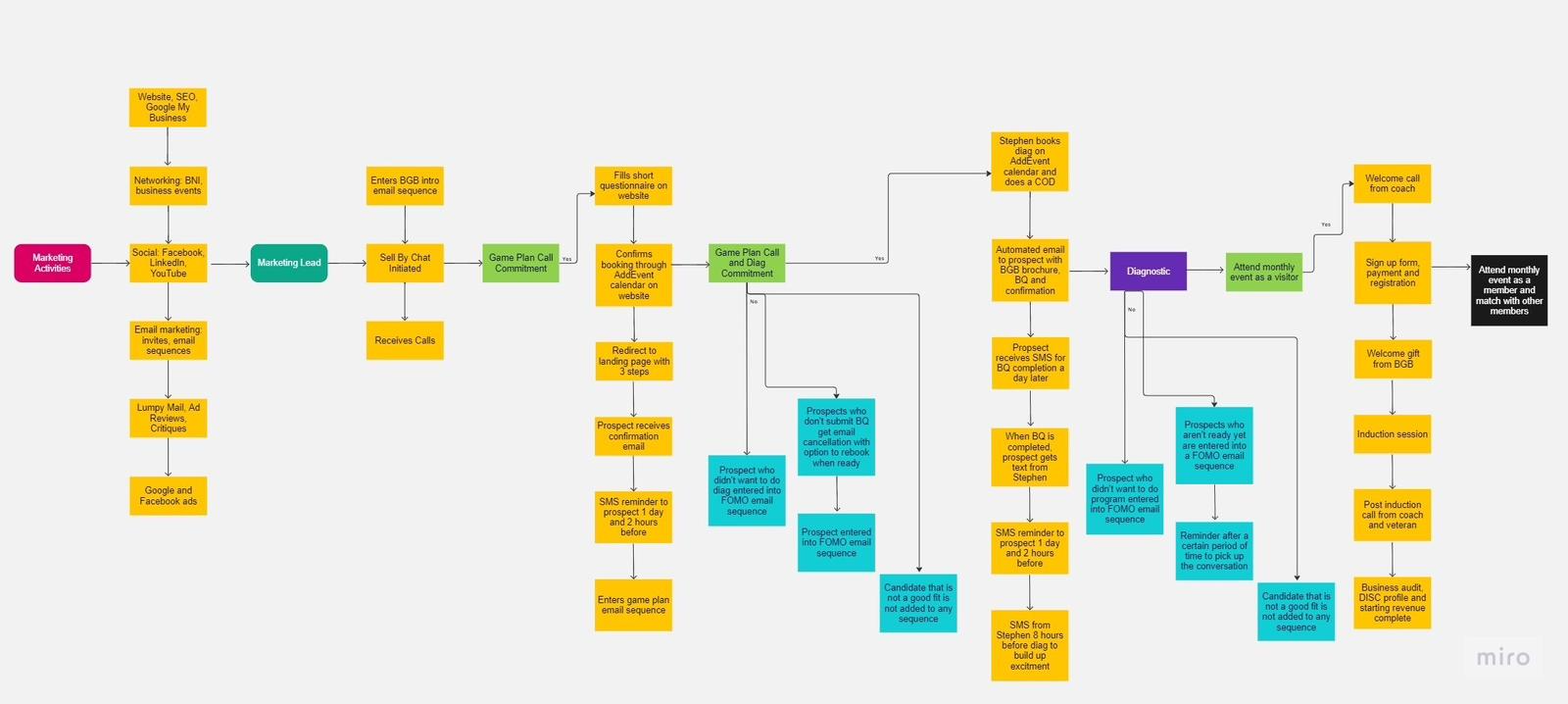
- You will need to map out the customer journey or operational workflow
- We will give you a template of questions we need answering from you
- Examples are provided below
Example process maps
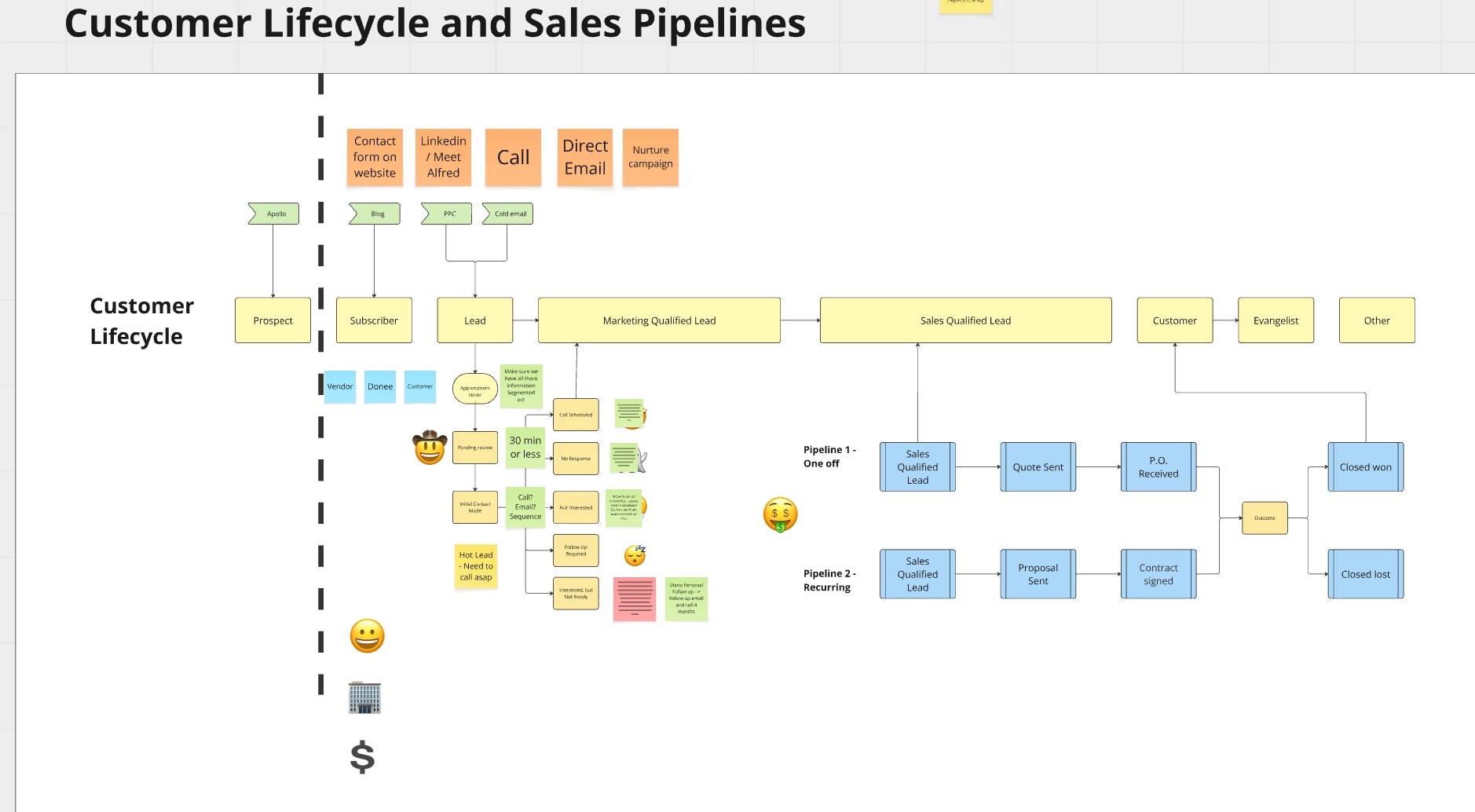
We will cover the following
- 🚧 The CHALLENGEs you are facing
- 🥅 The GOAL you are trying to achieve
- 📝 Your PLAN for overcoming your challenge
- 🕧 The TIMELINE for achieving your goal
2. Second session - Assessment
- Reviewing the customer journey to double check we are all on the same page.
- Ensuring there are no missed steps.
- Ensuring Stakeholder alignment so everyone understands the changes being implemented.
Deliverables of Automation roadmap
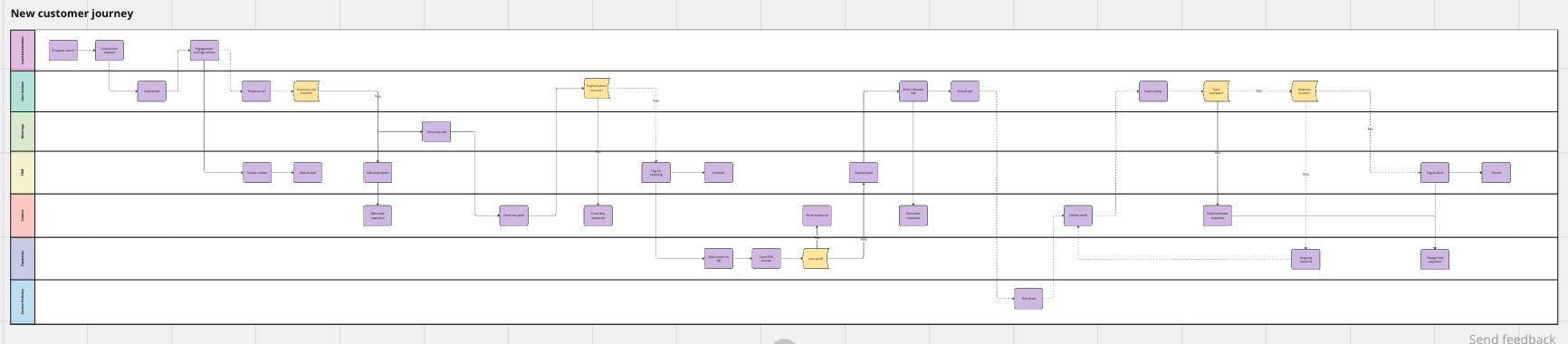
- An automation roadmap or mind-map with potential tools outlined for just sales and marketing as well as the flow
An example roadmap
- A quote for building everything out
We operate as much as possible on fixed fees rather than hourly so we’re incentivised to move quickly. We will give you a breakdown of costs are so you can budget appropriately.
Timelines
- This usually takes between 4 to 7 working days to deliver depending on the complexity of the project and how quickly we can set up meetings with the relevant team members.
- Once we have everything we need however the actual creation of the assets are around 1-3 working days max
FAQs for Phase 1
This planning stuff sounds really good, but what if we just want to move fast and want something built NOW?
- That’s a perfectly reasonable sentiment to have and when you’re trying to grow fast. We can if you wish create a custom set of one-off automations that you feel you need.
- That said we recommend following this process as we find that correcting errors and miscommunications is far more time consuming than just getting it correct the first time around.
Wait we already have a flowchart, how is yours gonna be any different?
- The one we will be making will include the flow of data between various systems and not just a process flow of what happens in the organisation. This is to ensure that relevant integrations between systems are possible.
- There’s nothing worse than buying new software, only to realise they don’t talk to each other in the way you would hope!
Phase 2: System Deployment
What we’ll need in advance:
- Meeting schedule defined
1. Create project plan + Deliverables list - ClickUp
We create a dashboard view in Clickup so you can see the status of the project at any time.
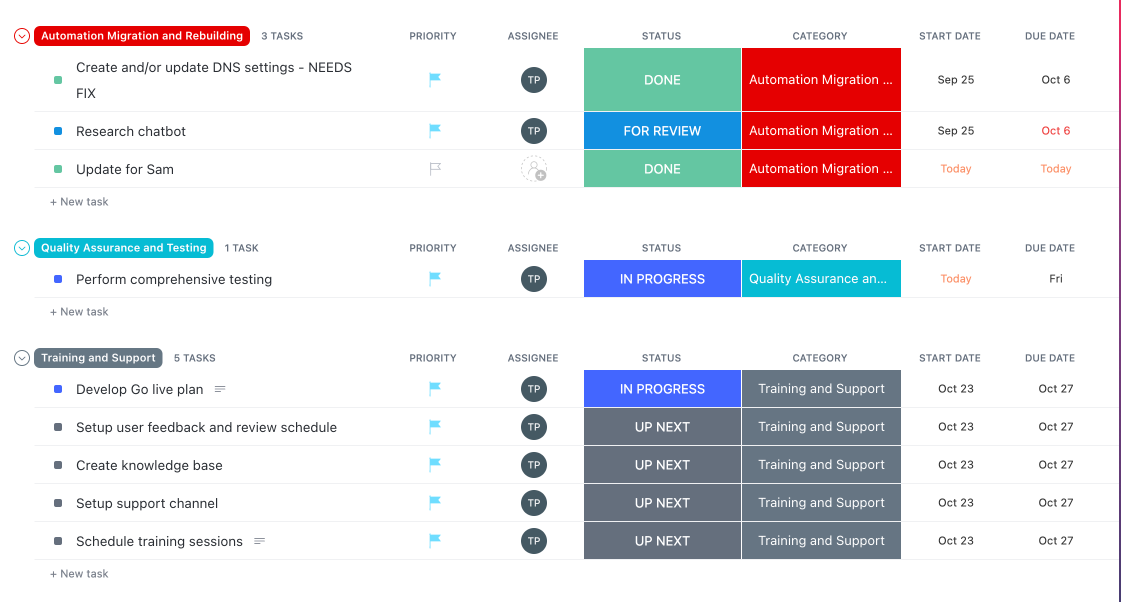
2. Create milestones
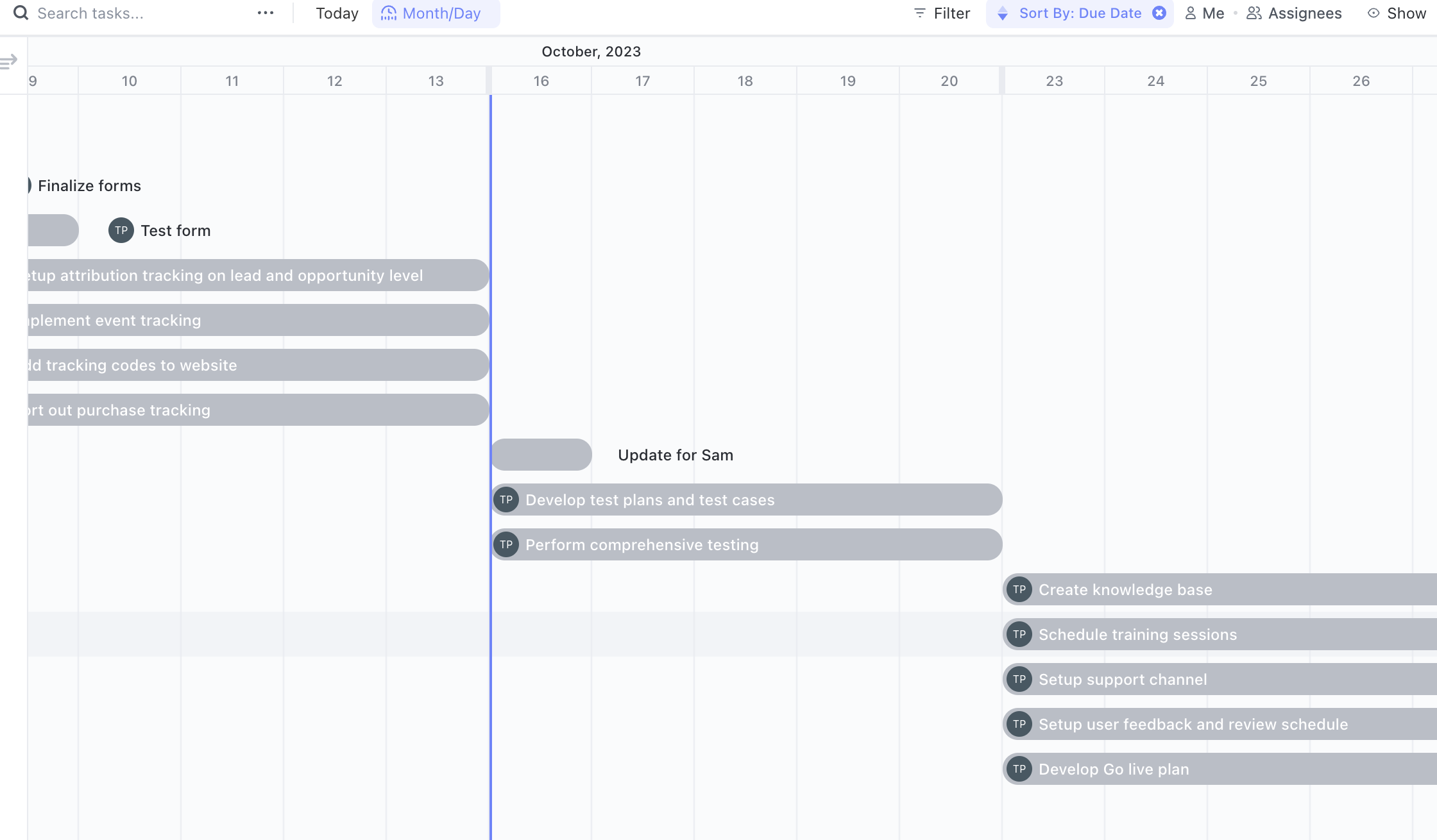
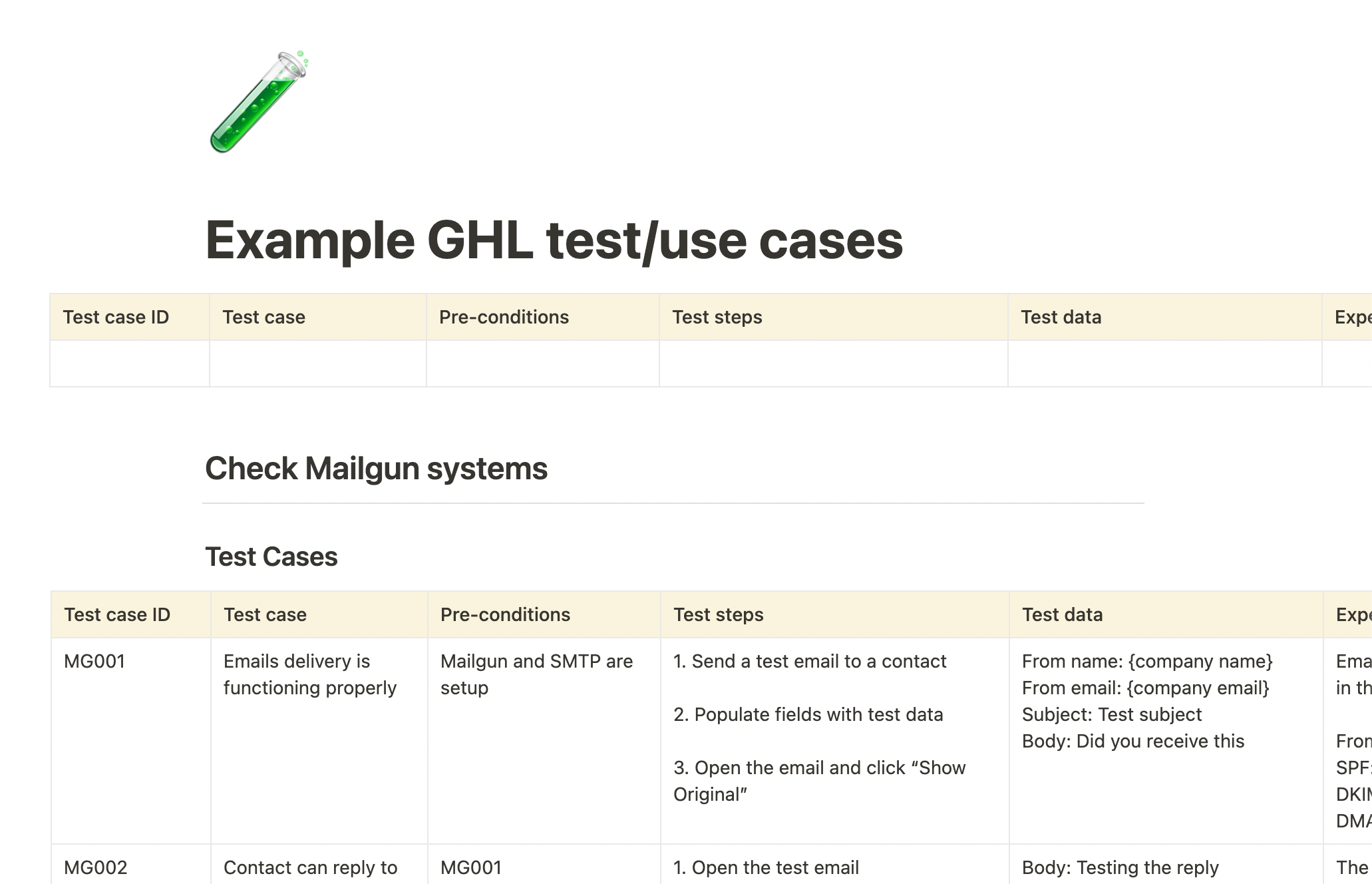
3. Create the test cases
We like to create Test cases to check that the system operates as expected. This also reduces chances of unexpected errors later down the road.
4. Go live plan
This is especially important if you have an existing CRM that needs to be cutover from an old CRM for example but this is useful for any automation or CRM build so all team members and stake holders are aligned.
5. Build out the system
We build out your dream system and make it into reality!
6. Full testing in staging
Using the test cases outlined above we test all functionality to reduce chances of errors
Timelines
2-6 weeks depending on complexity. This will be clearer once phase 1 is complete
Phase 3: Team Enablement
1. Create the Wiki
No point having a new system if no one knows how to use it! We create a comprehensive wiki with training videos and cheat sheets to ensure you and your team have the best chance of success
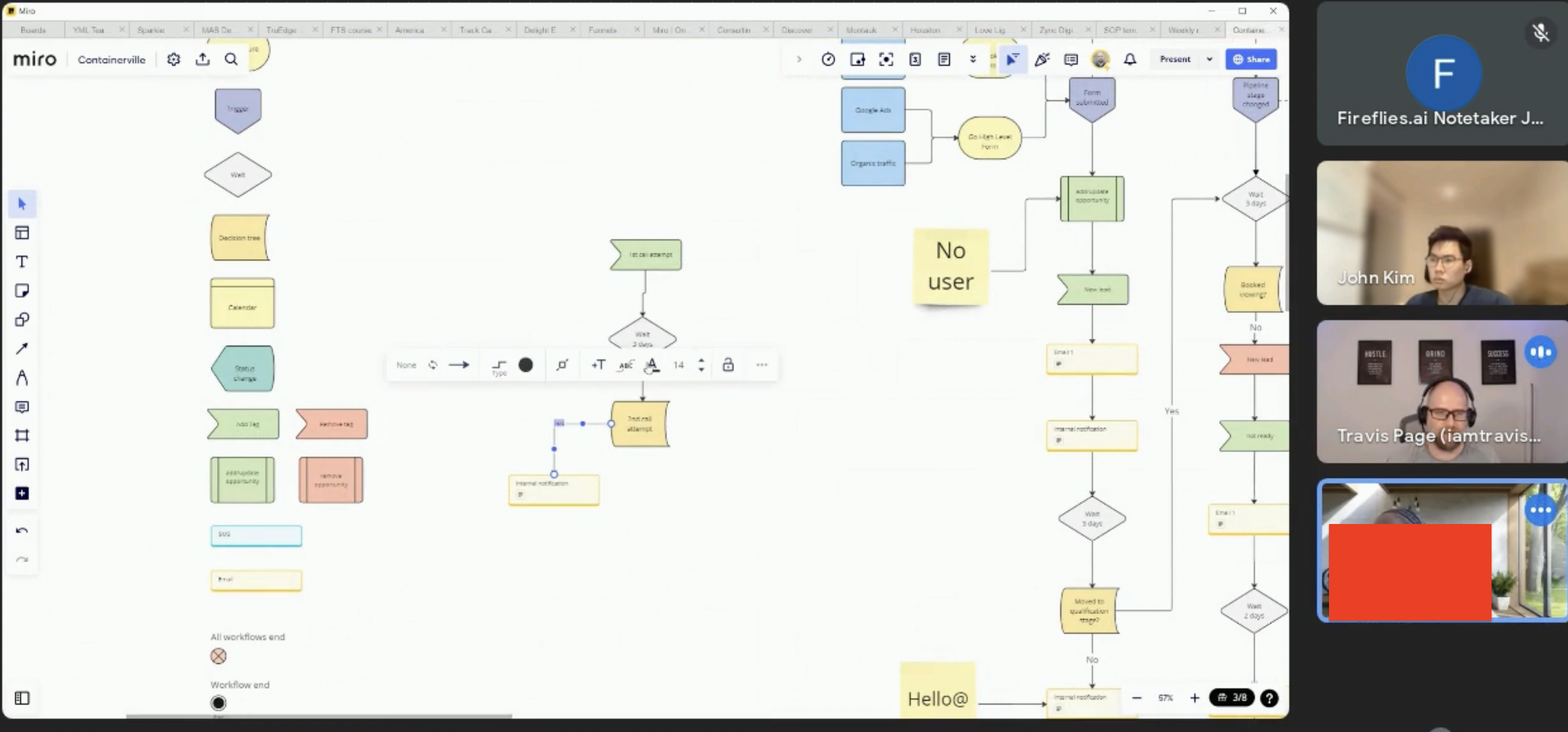
2. Trainingthe team
We will conduct a video call similar to the one in the picture below to answer any questions
3. Deploy
We deploy the system in its entirety once team members feel comfortable that they have the relevant information to use the system to its fullest.
Timelines
- An additional 1-3 weeks depending on complexity
Phase 4: Maintenance and support
1. Bug fixes and support:
They don’t often appear here but any minor bugs can be caught here if they are discovered. This is also a great time for everyone to try out the new system and ask any final questions. Sometimes you don’t know what you don’t know until you try something out
2. Feedback and efficiency improvement
In our experience, a new system can be quite exciting (or maybe that’s just us 😛) and we find that people start brewing with ideas for the possibilities of what else can be automated later down the road.
As we work with you and the team to make the most out of the new system, we will be collecting feedback on how things could improve and take this into consideration for any potential future build that may happen.